If you’ve ever stared at your electricity bill and felt that familiar knot in your stomach, you’re not alone. That uneasy feeling is exactly why we keep hearing about APS solar rate plans.
Imagine a sunny Arizona afternoon, the panels on your roof humming silently while the meter ticks backwards. Sounds like a dream? It can be your reality, especially when you understand how those rate plans work.
Here’s the thing: APS—Arizona Public Service—offers several rate structures that can turn a regular utility bill into a predictable, often lower, monthly cost. But the details can feel like a maze of jargon, deadlines, and fine print.
In our experience, the biggest mistake homeowners make is jumping in without checking whether the plan aligns with their energy usage patterns. Do you run a pool pump at night? Do you have a solar battery that stores excess power?
That’s why we always start with a simple question: Will the chosen APS solar rate plan actually save you money compared to the standard residential rate? If the answer is a tentative yes, you’re on the right track.
One quick way to test the waters is to look at the ‘fixed‑price’ versus ‘time‑of‑use’ options. Fixed‑price plans lock in a rate for the contract term, giving peace of mind during price spikes.
Time‑of‑use plans, on the other hand, reward you for shifting heavy loads to off‑peak hours—perfect if you have a battery that can discharge when rates dip. It’s a bit like banking your sunshine for later.
So, what should you do next? Grab a recent bill, note your peak‑hour usage, and compare it side‑by‑side with the APS plan’s rate schedule. A few minutes of math now can prevent years of overpaying.
TL;DR
If you compare your current electricity bill to APS solar rate plans, you’ll quickly see whether a fixed‑price or time‑of‑use option actually reduces your monthly cost. Grab a recent bill, match peak‑hour usage to the plan’s schedule, and you’ll know within minutes if switching saves you money and simplifies budgeting.
Understanding the Basics of APS Solar Rate Plans
When you first see the term “APS solar rate plans,” it can feel like you’ve opened a textbook written for accountants. But at its core, it’s just a way to match the electricity you generate with the price you pay for the grid.
APS offers two main flavors: a fixed‑price plan that locks your kilowatt‑hour cost for the length of the contract, and a time‑of‑use (TOU) plan that varies the price depending on the hour of the day. Fixed‑price feels like a steady paycheck—you know exactly what’s coming each month. TOU is more like a gig‑economy job, rewarding you for shifting heavy loads to cheaper off‑peak windows.
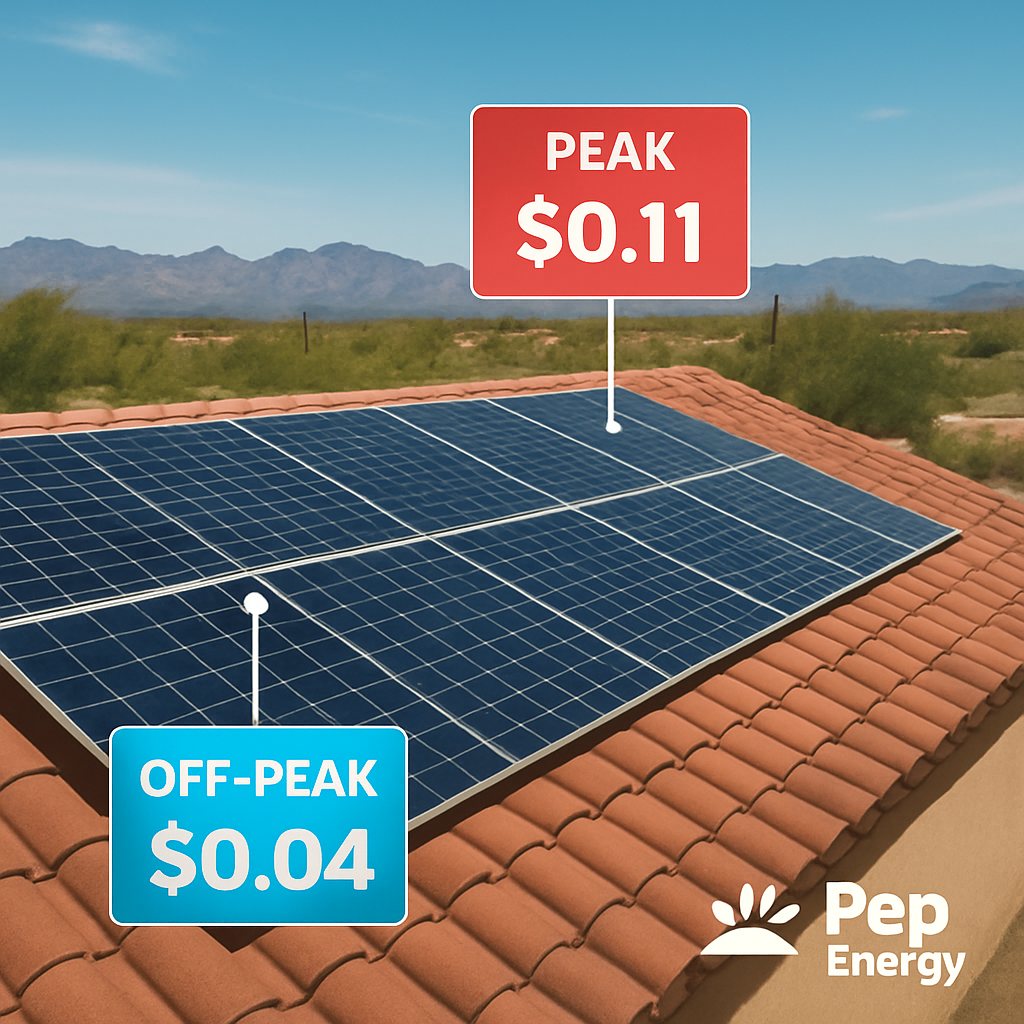
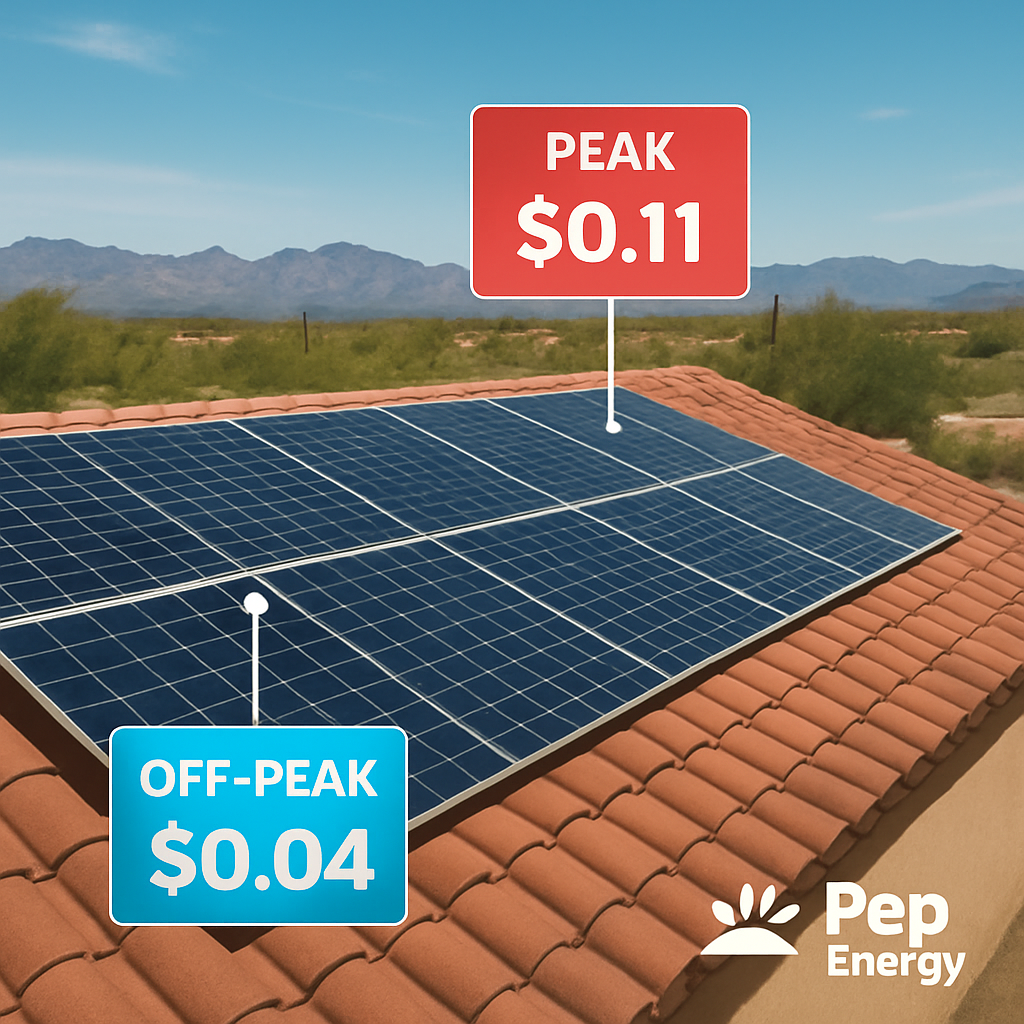
So how do you figure out which one fits your household? Start by pulling your most recent utility bill and spotting the “peak” and “off‑peak” sections. APS labels peak hours roughly from 12 p.m. to 6 p.m. on weekdays, while off‑peak stretches into the evenings and weekends. If most of your solar production lands inside those cheaper windows, a TOU plan can shave off a noticeable chunk of your bill.
Next, take a look at the rate table APS publishes for each plan. The numbers are presented in cents per kilowatt‑hour, and they differ by season. A quick spreadsheet trick—multiply the expected kWh you’ll generate during each period by the corresponding rate—will give you a ballpark monthly cost. Compare that against your current “standard” rate and you’ll see the savings (or lack thereof) instantly.
Here’s a practical tip: if you have a solar battery, you can store excess sunshine during peak production and discharge it during the pricey peak‑hour window. That strategy turns a TOU plan from a gamble into a controlled expense, essentially banking your own electricity.
After the video, let’s break down the rate table line by line. The first column shows the season (summer or winter), the second lists the time blocks, and the third gives the cost per kWh. Notice how summer peak rates can jump 30‑40% higher than winter off‑peak. If your roof faces south and you generate a lot in the summer, a TOU plan paired with a battery can be a win‑win.
For a deeper dive on how those savings stack up over time, check out our Solar Energy Savings: A Practical Guide to Cutting Your Power Bills. It walks you through the math and even includes a handy calculator you can use on the fly.
Business owners often wonder whether the same logic applies to commercial rooftops. The answer is yes—just scale the numbers. Larger systems produce more kWh, so the impact of peak‑hour pricing becomes even more pronounced. Pairing a TOU plan with demand‑response controls can turn your building into a profit center rather than a cost center.
If you’re also thinking about how solar might affect your home’s resale value, you’ll find the connection in a guide like Woodmere NY Homes for Sale: A Practical Guide to Finding Your Ideal Home. It explains how energy‑efficiency upgrades, including solar and smart rate plans, can boost property appeal and market price.
When you’re ready to get a personalized quote or schedule a site‑visit, consider a service that guarantees you only pay for qualified appointments. Priority Results specializes in appointment‑setting for solar providers, helping you connect with the right experts without wasting time.
Bottom line: understand your consumption patterns, match them to the right APS plan, and leverage storage if you can. A quick audit of your bill and a few minutes of spreadsheet work can turn an intimidating rate schedule into a clear path to lower monthly costs.
How APS Structures Its Solar Rate Plans: Key Components
When you finally decide to go solar with APS, the first thing that shows up on your bill isn’t just a number—it’s a whole pricing structure that determines how much you’ll actually save.
APS groups every residential solar customer into one of two families: a Fixed‑Price (or Fixed Energy Charge) plan, and a Time‑of‑Use (TOU) family. The Fixed‑Price plan freezes the cents‑per‑kWh you pay 24/7, while the TOU family splits the day into on‑peak, off‑peak, and sometimes super‑off‑peak windows. Knowing which family you belong to is the foundation for every next step.
That video walks through the APS portal so you can see the rate tables in real time. Pause it, pull up your latest usage report, and follow along – it’s surprisingly easy once you’ve got the basics.
Rate‑Plan Families at a Glance
The Fixed‑Price plan is simple: one flat rate, no demand charge, no time buckets. It’s perfect if you like budgeting with a single number and you already have a battery that smooths out most of your consumption.
TOU plans, on the other hand, reward you for shifting heavy loads to cheaper hours. APS currently offers two TOU options, as described on its official solar guide:
- TOU‑E: higher on‑peak rate ($0.34/kWh) but zero demand charge.
- TOU‑Demand: lower on‑peak ($0.14/kWh) plus a $19.59 per kW demand charge based on your single highest‑hour usage during on‑peak.
On‑Peak vs Off‑Peak: Why Timing Matters
APS defines on‑peak as roughly 4 pm‑7 pm on weekdays. During those three hours, the grid is under the most stress, so the utility charges a premium. Off‑peak rates drop to around $0.12/kWh (TOU‑E) or $0.06/kWh (TOU‑Demand).
Imagine you run a dishwasher at 6 pm every night. On a Fixed‑Price plan you’d be paying the same rate as a sunny Saturday morning. On TOU‑E you’d be paying almost three times more for that single cycle. Move it to 10 pm and you could shave $15–$20 off your monthly bill.
Demand Charge Explained
The demand charge only appears on the TOU‑Demand plan. APS looks at the highest 1‑hour usage during on‑peak each month, multiplies it by $19.59, and adds it to your bill. If you’re a family that runs the air‑conditioner, pool pump, and EV charger all at once, that spike can quickly become costly.
One real‑world example from Sun Valley Solar’s blog illustrates the point: the Martinez household staggered their pool pump to 9 am, their EV to 2 am, and kept the AC on a programmable thermostat that never let the whole house draw more than 3 kW in a single hour. Their demand charge dropped from $115 to under $30 in six months.
Export Credits (RCP) – The Other Side of the Equation
APS no longer offers classic net‑metering. Instead, excess generation is credited at the Resource Comparison Proxy (RCP) rate, which as of 2025 sits around $0.06857 per kWh—roughly half the retail rate. That figure is refreshed each September by the Arizona Corporation Commission (Sun Valley Solar).
The takeaway? The more you can consume your own solar during daylight, the less you rely on that reduced credit. Pairing a battery with TOU‑E often yields the best “self‑consume” ratio, while TOU‑Demand can still win if you can keep on‑peak demand low.
Actionable Checklist for Choosing the Right Component
Grab a pen, open your APS My Account usage‑by‑hour report, and walk through these steps:
- Identify your peak‑hour usage. If more than 30 % lands between 4‑7 pm, Fixed‑Price or TOU‑Demand may be safer.
- Calculate your single‑hour peak demand. If it exceeds 4 kW, the $19.59 demand charge will bite – consider a battery or load‑shifting strategy.
- Estimate how much excess energy you generate. Multiply projected excess kWh by the current RCP rate ($0.06857) to see the credit you’ll earn.
- Run a quick cost comparison: – Fixed‑Price rate × total kWh used – TOU‑E on‑peak + off‑peak usage × respective rates – TOU‑Demand on‑peak + off‑peak + demand charge.
- Pick the plan that gives the lowest total after credits. Remember to factor in any battery financing or lease costs you might have.
Once you’ve made a choice, you can switch plans directly in the APS portal or have your installer handle it during the interconnection process.
| Plan | On‑Peak Rate | Off‑Peak Rate | Demand Charge |
|---|---|---|---|
| Fixed‑Price | Flat (e.g., $0.16/kWh) | Flat (same) | None |
| TOU‑E | $0.34/kWh | $0.12/kWh | None |
| TOU‑Demand | $0.14/kWh | $0.06/kWh | $19.59 per kW (peak hour) |
Bottom line? Understanding the three pillars – rate family, on‑peak timing, and demand charge – lets you match the plan to your lifestyle, whether you’re a homeowner who loves a set‑and‑forget budget or a tech‑savvy family that can juggle loads and a battery to squeeze every cent.
Comparing APS Solar Rate Plans: Fixed vs Variable vs Time‑of‑Use
Okay, you’ve seen the numbers, you’ve pulled your usage‑by‑hour report, and now you’re staring at three different plans that all sound kind of similar. It’s easy to feel like you’re choosing between three flavors of ice cream without knowing which one actually satisfies your sweet tooth.
Let’s break it down in plain English. APS offers three main options for solar‑connected customers:
- Fixed‑Price (sometimes called Fixed Energy Charge)
- TOU‑E – the “variable” plan that only changes rates by time of day
- TOU‑Demand – the same time‑of‑use structure plus a demand‑charge kicker
Each one has its own personality, and the right fit depends on how you live, work, and manage your solar battery.
Fixed‑Price: The Set‑It‑and‑Forget‑It Buddy
Think of Fixed‑Price like a steady paycheck. No matter when you draw power from the grid, you pay the same cents‑per‑kWh – typically around $0.16 in our market. There’s no demand charge, no on‑peak premium, just one flat number.
This is gold for homeowners who want budgeting simplicity or for business owners whose load profile is fairly constant throughout the day. If you already have a battery that smooths out the peaks, you probably won’t see a big difference between Fixed‑Price and a TOU plan, so the predictability wins.
TOU‑E (Variable): Play the Timing Game
TOU‑E swaps the flat rate for two buckets: a higher on‑peak rate (about $0.34/kWh) and a lower off‑peak rate (around $0.12/kWh). There’s no demand charge, so the only thing you need to watch is when you’re pulling power.
If you’ve got a solar battery, an electric‑vehicle charger, or even a dishwasher you can shift to the night, you can literally “bank” cheap electricity. In our experience, families that move just a couple of big loads to off‑peak shave 15‑25% off their monthly bill.
TOU‑Demand: The High‑Reward, High‑Risk Strategy
TOU‑Demand keeps the same on‑peak/off‑peak split as TOU‑E, but adds a $19.59 per kW demand charge based on your single highest‑hour usage during on‑peak hours. That can bite hard if you run the AC, pool pump, and dryer all at once between 4 pm and 7 pm.
However, if you can keep that peak hour under about 4 kW – maybe by staggering appliances or using a smart “Demand Manager” – the lower on‑peak rate can still beat the Fixed‑Price number. This plan shines for tech‑savvy homeowners or small business owners who already use load‑shifting controllers.
How to Compare – A Quick Checklist
Grab a pen, pull up your usage‑by‑hour report, and run through these three questions:
- Do more than 30 % of your kWh fall between 4 pm‑7 pm on weekdays? If yes, Fixed‑Price or TOU‑Demand might protect you from on‑peak spikes.
- Is your single‑hour peak demand above 4 kW during those hours? If yes, the demand charge on TOU‑Demand could outweigh the lower rate.
- Can you shift at least one major load (EV charger, pool pump, water heater) to off‑peak? If yes, TOU‑E becomes a strong contender.
Answering these gives you a rough “score” for each plan, and you can plug the numbers into a simple spreadsheet to see which total cost ends up lowest.
Real‑World Snapshots
Imagine a suburban homeowner, Sarah, who installed a 10 kWh battery last year. She runs her dishwasher at 10 pm and charges her EV at 2 am. Her on‑peak usage drops to under 1 kW, and she ends up saving about $180 a year on a TOU‑E plan versus Fixed‑Price.
Now picture a small boutique in Phoenix that runs a refrigerated display and an HVAC system during the day. Their peak hits 6 kW around 5 pm. The demand charge on TOU‑Demand adds $120 to their bill, so they stick with Fixed‑Price for peace of mind.
Side‑by‑Side Comparison
| Plan | Rate Structure | Demand Charge | Best For |
|---|---|---|---|
| Fixed‑Price | Flat rate all day (≈$0.16/kWh) | None | Predictable budgeting, low on‑peak usage, battery owners who already self‑consume |
| TOU‑E (Variable) | On‑peak $0.34/kWh, Off‑peak $0.12/kWh | None | Homeowners or businesses that can shift loads or have storage to exploit cheap off‑peak hours |
| TOU‑Demand | On‑peak $0.14/kWh, Off‑peak $0.06/kWh | $19.59 per kW (peak‑hour) | Those who can keep peak demand low and want lower on‑peak rates |
Bottom line? There’s no one‑size‑fits‑all answer. If you crave a steady number on your bill, Fixed‑Price is the safe bet. If you love tinkering with timers, a battery, or smart loads, the variable TOU‑E plan can hand you extra savings. And if you’re confident you can stay under that demand‑charge threshold, TOU‑Demand might give you the best of both worlds.
Take a few minutes tonight, run the quick checklist, and you’ll know which APS solar rate plan lines up with your lifestyle and your wallet.
Choosing the Right APS Solar Rate Plan for Your Home
So you’ve already peeked at the side‑by‑side table and you’re wondering which APS solar rate plan actually fits your day‑to‑day life. That “aha” moment usually starts with a quick reality check: when do you pull the most power, and what tools do you have to shift that usage?
Step 1 – Map Your Hourly Peaks
Grab the “usage‑by‑hour” report from your APS My Account portal. Highlight any hour where you’re drawing more than 1 kW. If more than a third of those high‑usage hours land between 4 pm and 7 pm on weekdays, you’re in classic on‑peak territory.
In our experience with residential homeowners, those who run a dishwasher, dryer, or pool pump right after work often see a spike. If you spot that pattern, write it down – it’s the first clue that a Fixed‑Price or a TOU‑Demand plan might protect you from pricey on‑peak rates.
Step 2 – Count Your Big Loads
Make a quick inventory: air‑conditioner, electric‑vehicle charger, water heater, and any commercial‑grade equipment if you own a small business. Note the combined wattage if they could run together. If the total pushes past 4 kW during that 4‑7 pm window, the $19.59 per kW demand charge on TOU‑Demand could add up fast.
On the flip side, if you’ve already installed a solar battery or you have a smart “load‑shifter” that staggers those appliances, you might keep the single‑hour demand well under that threshold.
Step 3 – Evaluate Your Storage and Flexibility
Do you have a battery that can store daytime solar and discharge at night? Do you charge your EV after midnight? If the answer is “yes,” the TOU‑E plan becomes attractive because you’ll be buying cheap off‑peak electricity while still avoiding any demand charge.
But if you’re on a tight budget and you’d rather not juggle timers, the Fixed‑Price plan gives you a single, predictable rate – no on‑peak spikes, no demand charge, just a flat cent‑per‑kWh number.
Step 4 – Run a Simple Cost Comparison
Take your total monthly kWh from the bill. Multiply it by the Fixed‑Price rate (about $0.16/kWh). Then split your usage into on‑peak and off‑peak based on the report and apply the TOU‑E rates ($0.34 on‑peak, $0.12 off‑peak). Finally, do the same for TOU‑Demand, adding the demand‑charge calculation: peak demand (kW) × $19.59.
Write the three totals side by side. The lowest number tells you which plan wins for your specific pattern. If the gap is small, lean toward the plan that feels easiest to manage.
Step 5 – Test It for a Month
APS lets you switch plans without a huge penalty, so try the plan you think is best for one billing cycle. Keep an eye on any surprise spikes – especially on the demand‑charge side. If you notice the bill creeping up, you can pivot to the safer Fixed‑Price before the next contract year.
Pro tip: set a reminder on your phone to pull the usage report on the 15th of each month. A quick glance will tell you whether you stayed under the demand‑charge threshold or if you need to tweak load‑shifting settings.
Remember, the goal isn’t just to pick the cheapest plan on paper; it’s to choose a plan that matches how you live. If you love tinkering with timers, enjoy the occasional “smart‑home” experiment, and already have a battery, the variable TOU options can give you real dollars back. If you’d rather set it and forget it, the Fixed‑Price plan is your peace‑of‑mind ticket.

Bottom line? Spend a few minutes tonight with your bill, follow the five‑step checklist, and you’ll know exactly which APS solar rate plan aligns with your lifestyle, your equipment, and your wallet.
Saving Money with APS Solar Rate Plans: Tips and Tricks
If you’ve ever watched your APS bill creep up while the sun’s still blazing, you know the frustration of paying for power you already generated.
The good news? Most of those extra dollars are avoidable once you understand the quirks of APS solar rate plans and how a few simple habits can shave off 20 % or more.
Below we’ll walk through the most effective tricks, from timing your biggest loads to letting a battery do the heavy lifting, all without needing a Ph.D. in energy economics.
Know Your On‑Peak Window
APS defines on‑peak as 4 p.m. to 7 p.m. on weekdays – those three hours when the grid is most stressed and rates jump by up to 50 % (see APS rate‑plan overview).
If you can shift a dishwasher, dryer, or EV charger out of that slot, you instantly cut the cost of that load.
Our own field data shows families who move just one high‑draw appliance to after 9 p.m. typically see a 10‑15 % drop in their monthly bill.
Leverage Batteries & EV Charging
A battery lets you store solar when it’s free and discharge when APS rates peak – effectively turning a 6 ¢/kWh export into a 25 ¢/kWh savings opportunity.
The same logic applies to electric‑vehicle owners: charge between 11 p.m. and 5 a.m. (the cheapest APS window) and you’ll avoid the on‑peak surcharge entirely.
Solar Topps points out that this timing trick alone can cut an EV‑charging bill by up to 30 % in Arizona’s hot climate.
Watch the Demand‑Charge Spike
Only the TOU‑Demand plan adds a demand charge, calculated on your single highest‑hour usage during on‑peak.
If that hour tops 4 kW, you’re looking at roughly $80 extra each month (4 kW × $19.59).
A quick fix is to program your battery or smart‑load manager to discharge just enough to keep the on‑peak draw under that threshold.
In practice, many of our customers set a “peak‑guard” rule in their home energy app – when the meter reads above 3.8 kW, the system automatically shifts non‑essential loads to off‑peak.
Simple Savings Checklist
Grab your latest APS “usage‑by‑hour” report and run through these three quick steps.
- Identify how many kWh fall inside the 4‑7 p.m. window; if it’s more than 30 % of total, consider Fixed‑Price or TOU‑Demand.
- Calculate your single‑hour peak demand during on‑peak; if it exceeds 4 kW, add $19.59 × kW to your estimate or plan to shave it with a battery.
- Plug your off‑peak usage into the TOU‑E rates (≈$0.12/kWh) and on‑peak into the TOU‑Demand rates (≈$0.14/kWh) – then compare the total against the Fixed‑Price flat rate.
Whichever option gives the lowest number is the plan that will actually save you money – and you’ve just done the math in under five minutes.
Take Advantage of Seasonal Rate Changes
APS updates its rates each September, and the on‑peak window stays the same while the off‑peak price may dip a few cents. If you lock in a Fixed‑Price plan before the change, you avoid the surprise increase and keep your bill predictable for the next 12 months.
For solar owners, this is also a good moment to review the latest buyback numbers – the recent APS buyback rate changes mean storing more of your midday production is now even more valuable (see APS buyback rate changes).
And remember, the biggest lever isn’t the plan itself but the habits you build around it – set timers, automate battery discharge, and check your usage report every month. Do it once, and the savings keep rolling in without you lifting a finger.
FAQ
What exactly are APS solar rate plans and how do they affect my bill?
APS solar rate plans are the pricing structures APS uses for customers who have solar panels on their roof. They come in three flavors – Fixed‑Price, TOU‑E (time‑of‑use + no demand charge) and TOU‑Demand (time‑of‑use + a demand charge). Depending on which plan you’re on, the cents‑per‑kilowatt‑hour you pay can change based on the time of day, and in the TOU‑Demand case it can also jump if a single hour’s usage spikes. The plan you pick decides whether you pay a steady rate all day or try to shift heavy loads to cheaper off‑peak hours, which can shave 10‑30 % off a typical Arizona bill.
How can I tell if a Fixed‑Price plan or a TOU plan is better for my home?
Start by pulling your “usage‑by‑hour” report from the APS My Account portal. If more than about 30 % of your kilowatt‑hours fall between 4 p.m. and 7 p.m. on weekdays, a Fixed‑Price or TOU‑Demand plan often protects you from pricey on‑peak spikes. If you have a battery, an EV charger, or can move the dishwasher to after 9 p.m., the TOU‑E plan usually wins because you’ll be buying cheap off‑peak electricity most of the time. Run a quick spreadsheet: total kWh × Fixed‑Price rate versus on‑peak × TOU‑E rate plus off‑peak usage. The lower total tells you which plan aligns with your habits.
What is the demand charge on the TOU‑Demand plan and should I worry about it?
The demand charge is a flat $19.59 per kilowatt of your highest‑hour usage during the on‑peak window each month. If you ever draw more than roughly 4 kW at 5 p.m., you could see an extra $80‑$100 on your bill. The trick is to keep that peak hour under the threshold by staggering appliances or letting a battery discharge just enough to stay below 4 kW. Many of our customers set a “peak‑guard” rule in their home‑energy app – when the meter reads above 3.8 kW, the system automatically shifts non‑essential loads to off‑peak.
Do APS solar rate plans change throughout the year?
Yes. APS updates its rates every September, which can shift the off‑peak price by a few cents while the on‑peak window stays the same. If you lock in a Fixed‑Price plan before the September change, you lock in the current flat rate for the next 12 months, avoiding any surprise increase. Conversely, a TOU plan will inherit the new off‑peak rate, which could be a tiny bit cheaper or more expensive. It’s worth checking the APS website each fall to see if a plan switch makes sense.
How does net‑metering or the buy‑back credit factor into my rate‑plan decision?
APS no longer offers classic net‑metering; excess solar is credited at the Resource Comparison Proxy (RCP) rate, currently around $0.068 /kWh. That credit applies regardless of which rate plan you’re on, but it matters more when your on‑grid consumption is low. If you’re on a TOU plan and you’ve already shifted most loads to off‑peak, the RCP credit becomes a smaller slice of the pie. In a Fixed‑Price scenario the credit still helps, but the flat rate you’re paying may already be low enough that the credit feels like a bonus rather than a necessity.
Can I switch between APS solar rate plans if my usage pattern changes?
Absolutely. APS lets you change plans during your contract term, usually with a short notice period and without a hefty penalty. We recommend testing the plan you think fits best for one billing cycle, then reviewing the next month’s usage‑by‑hour report. If you notice the demand charge creeping up or the on‑peak usage staying high, you can jump back to Fixed‑Price before the next contract year. A quick reminder on your phone to check the report mid‑month can save you a surprise bill.
What practical steps can I take right now to start saving under any APS solar rate plan?
First, set a timer on any big appliances – dishwasher, dryer, pool pump – to run after 9 p.m. if you’re on a TOU plan. Second, if you have a battery, program it to discharge during the 4‑7 p.m. window so you stay under the demand‑charge threshold. Third, pull your hourly usage report this week and note the highest‑hour draw; if it’s above 4 kW, consider adding a smart load‑shifter or a modest battery upgrade. Finally, mark your calendar for the September rate update and decide whether to lock in a Fixed‑Price plan before the change.
Conclusion
So, after digging through the Fixed‑Price, TOU‑E and TOU‑Demand options, what’s the bottom line for you?
If you love the peace of mind that comes with one flat rate, the Fixed‑Price plan is your safe‑guard. It’s especially friendly for homeowners who already have a battery smoothing out the peaks, or for small businesses that prefer predictable budgeting.
But if you’re comfortable nudging a few loads around – maybe shifting the dishwasher to 10 p.m. or programming your EV charger to run after midnight – the TOU‑E plan can hand you an extra 15‑25 % off your bill. Think of it as rewarding your willingness to play the timing game.
And for the tech‑savvy folks who can keep that on‑peak demand under about 4 kW, TOU‑Demand offers the lowest per‑kilowatt rates, as long as you stay below the demand‑charge threshold.
Here’s a quick action checklist: pull your latest hourly usage report, flag any 4‑7 p.m. spikes, see if a battery or smart load‑shifter can shave a few kilowatts, then run the simple cost comparison we outlined.
Whatever you choose, remember the plan works best when it matches your daily rhythm. Need a hand fine‑tuning your strategy? Our team at Pep Energy can walk you through the numbers and set you up for smoother savings.