Ever looked at your solar panels humming away and thought, “What if I could keep that power for the night?”
That little “what if” is the spark behind adding a battery to an existing solar system. It’s not just about tech—it’s about feeling secure when the grid flickers, about lowering that monthly bill, and about making the most of the sunshine you already paid for.
We’ve seen homeowners in Arizona stare at their inverter, wonder why the excess energy vanishes at sunset, and then realize a battery can store it for later. Business owners feel the same pull when a sudden outage threatens their operations. The good news? You don’t need to rip out your panels or start from scratch.
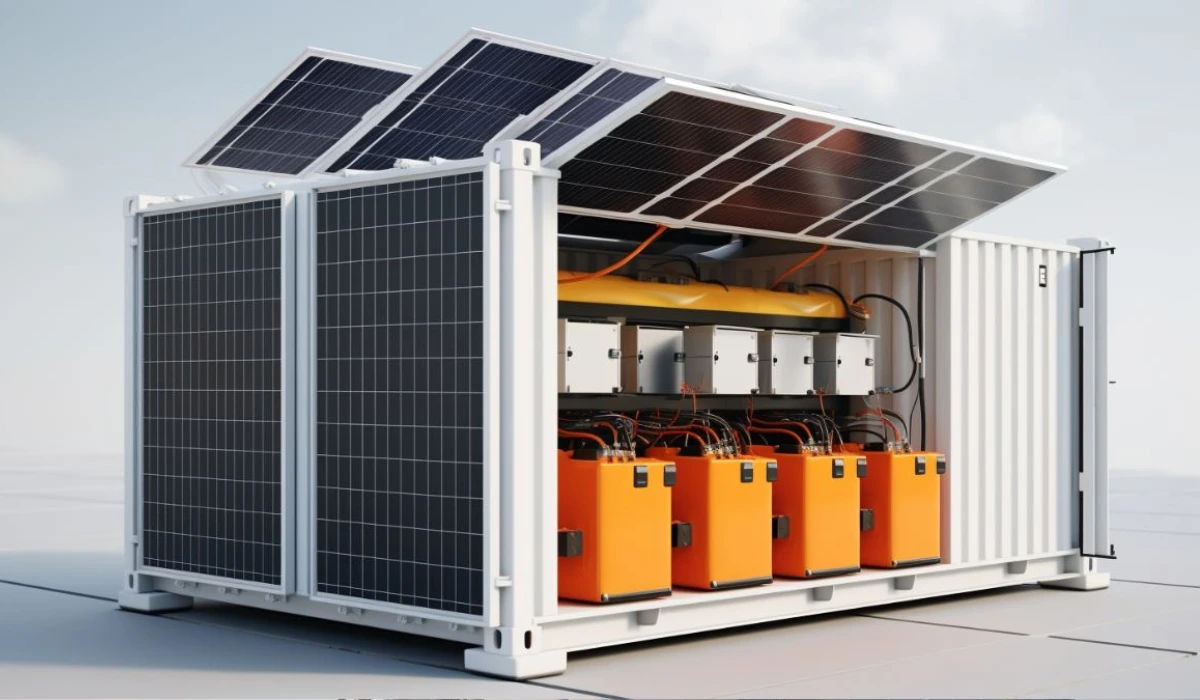
So, how do you actually add that battery? First, you check if your inverter is “compatible” with storage—most modern inverters have a ready‑made port, but older models might need a separate hybrid inverter. It’s a quick call to the installer, and they’ll tell you if a simple add‑on will do.
Next, you size the battery. Think about your evening load: lights, fridge, maybe a pool pump. A common rule of thumb is to capture 30‑40 % of your daily generation. That size usually translates to roughly a 10‑12 kWh battery. That size usually covers a typical night for a family of four.
Then comes the paperwork. In Arizona, there are rebates that can shave a few thousand dollars off the price, and net‑metering rules often let you get credit for stored energy you feed back later. A quick scan of the utility’s website will tell you what forms you need.
Finally, the physical install. It’s usually a day’s work: the battery rack goes in the garage or a utility closet, wiring is connected, and the system is tested. After that, you’ll see a new line on your monitoring app showing “stored energy” and you’ll finally understand what that green bar really means.
Ready to turn those daytime rays into nighttime peace of mind? Let’s walk through the exact steps so you can start storing solar power tomorrow.
TL;DR
Adding a battery to your existing solar system gives you night‑time power, lower bills, and peace of mind when the grid flickers.
We’ll walk you through checking inverter compatibility, sizing the storage, handling Arizona rebates, and completing a single‑day install so you can start saving tomorrow with confidence and ease.
Step 1: Assess Your Current Solar Setup
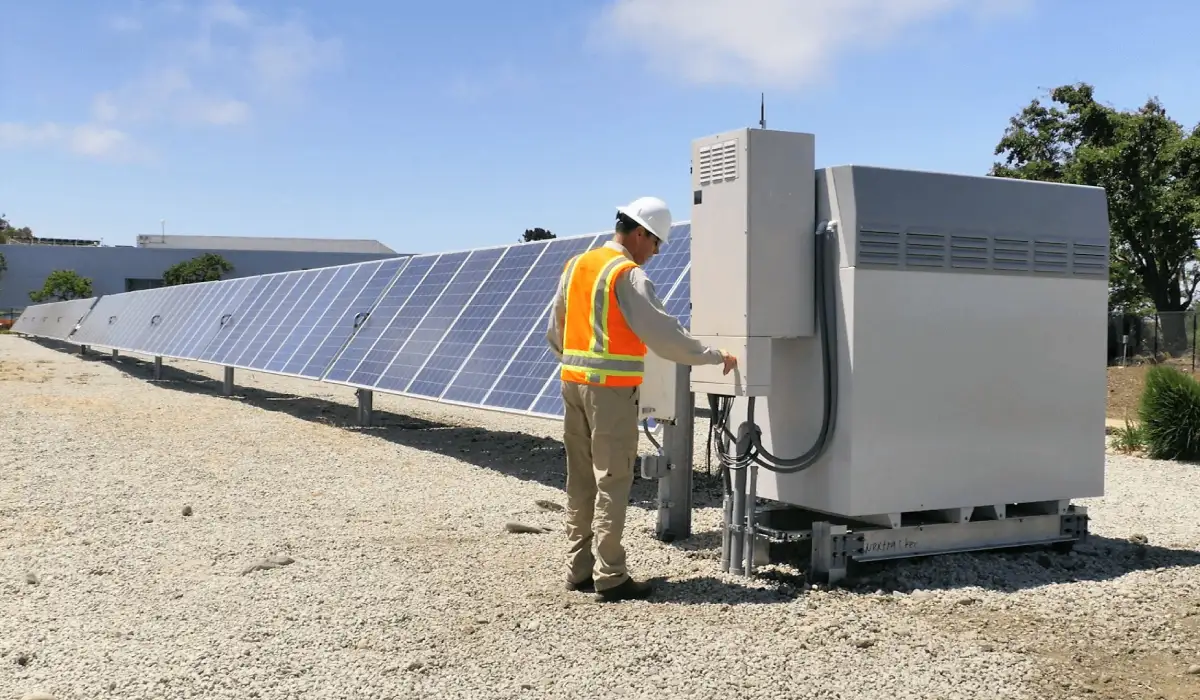
First thing’s first – you’ve got panels on the roof, but do you really know what’s humming behind the scenes? Picture yourself standing next to the inverter, the box that translates DC into the AC your home drinks. If you’ve ever wondered why the extra juice disappears at sunset, that’s the spot you need to inspect.
Grab your phone, open the monitoring app, and take note of two things: the daily production number and the amount of energy the system is sending back to the grid. Those figures give you a quick sanity check – if you’re consistently feeding 20‑30% back, you’ve got surplus that a battery could capture.
Next, pull up the inverter’s spec sheet. Most modern inverters (think SMA, Enphase, SolarEdge) have a dedicated DC‑coupled port or a built‑in hybrid mode. If the model you have lists “battery ready” or “compatible with storage,” you’re in luck. Older string inverters may need a separate hybrid inverter or a DC‑optimiser upgrade.
So, how do you verify compatibility without a PhD in electrical engineering? Give your installer a quick call. In our experience at Pep Energy, a 5‑minute chat can confirm whether you need a new inverter or just a communication module. They’ll ask for the inverter’s model number – it’s usually on a sticker on the side of the unit.
Now, think about your nightly energy habits. Write down the appliances you run after dark: refrigerator, lights, HVAC, maybe a pool pump. Add up their watt‑hour usage – you can find that on the appliance’s label or a quick online search. This gives you a ballpark of how much storage you actually need.
Here’s a simple rule of thumb we tell homeowners: aim for a battery that can cover 30‑40% of your average daily generation. If your system produces 30 kWh per day, a 10‑12 kWh battery will usually get you through a typical evening.
Does this sound like a lot of math? Not really. Grab a piece of paper, jot the numbers, and you’ll see a clear picture emerge. It’s the same approach we use when helping a small business decide if a battery will keep their lights on during a utility outage – you just scale the numbers up.
And don’t forget safety. Check that your roof’s structural capacity can handle the extra weight of a battery rack. Most residential racks weigh around 200‑300 lb, which is negligible for a well‑built roof, but it’s worth confirming with your installer.
Once you’ve gathered these details – inverter model, daily generation, night‑time load, and roof capacity – you have the baseline for the next steps: sizing the battery and navigating Arizona’s rebate programs.
Still not sure where to start? Take a moment to watch this short video that walks through reading your inverter’s display and locating the spec sheet.
After the video, give yourself a quick sanity check: does the inverter say “Hybrid Ready”? Do your nightly load numbers line up with a 10‑12 kWh battery? If the answers are yes, you’re ready to move on to sizing and permitting.
One last tip – keep a folder (digital or paper) with all the documents you’ve collected: inverter manual, production reports, load calculations, and any roof inspection notes. When it’s time to talk to a battery vendor, you’ll have everything they ask for at your fingertips, and you’ll avoid the back‑and‑forth that can drag the project out for weeks.
Assessing your current solar setup is really just a fact‑finding mission. It’s the foundation that turns “maybe” into “let’s do this.” With the right info in hand, you’ll feel confident moving to the next step: choosing the right battery size and getting those sweet Arizona incentives.
Ready to dive deeper? Let’s keep the momentum going.
Step 2: Choose the Right Battery Type
Why battery chemistry matters
When you add storage to a solar system, the chemistry you pick decides how long the battery lives, how much of its capacity you can actually use, and how much it costs up front. In our experience, the two families that most homeowners end up with are lead‑acid (including AGM and gel) and lithium‑ion (especially the LFP variety). Each has a personality, and matching that personality to your daily routine makes the whole project feel painless.
Think about it this way: a lead‑acid battery is like a sturdy old pickup – cheap, dependable, but you have to treat it gently and don’t expect it to run flat‑out all the time. A lithium‑ion battery is more like a high‑tech electric car – pricier, but it can give you deeper depth‑of‑discharge, faster recharge, and a longer lifespan.
Lead‑acid (AGM & Gel)
Pros: low purchase price, proven track record, and they tolerate over‑charging a bit better than some lithium chemistries. If you’re on a tight budget or you already have a small off‑grid backup system, an AGM bank can be a sensible first step.
Cons: you usually only get about 50 % usable capacity, so a 10 kWh rated pack effectively gives you 5 kWh. Cycle life hovers around 300‑500 full cycles, meaning you might start seeing capacity loss after 5‑7 years in a typical Arizona home that cycles daily.
Real‑world example: A Tucson homeowner installed a 6 kWh AGM battery to cover their fridge and a few lights during summer outages. After two years the battery still worked, but the usable capacity dropped to roughly 2.5 kWh, prompting a switch to lithium for the next upgrade.
Lithium‑ion (LFP – Lithium Iron Phosphate)
Pros: you can safely use 80‑90 % of the rated capacity, so a 10 kWh LFP pack really gives you 8‑9 kWh. Cycle life can exceed 5,000 cycles – that’s well over a decade of daily charge‑discharge. They’re lighter, take up less space, and charge faster, which is handy if you ever pair the battery with a solar‑only inverter that needs to dump excess power quickly.
Cons: higher upfront cost. You also need a compatible inverter or a battery‑ready hybrid inverter, but most modern residential inverters have that built‑in.
Real‑world example: A Phoenix small‑business owner installed two 5 kWh LFP modules from EcoFlow’s PowerOcean line. The system now runs the office lights and a modest HVAC unit through the night, and the owner reports the battery still holds about 95 % of its original capacity after three years of heavy use.
How to match chemistry to your needs
Step 1: Calculate your nightly kWh demand (you probably already have that number from Step 1). If it’s under 5 kWh, an AGM pack can be a low‑cost trial.
Step 2: Look at your budget. If you can afford the higher price tag, LFP will give you more usable energy and a longer pay‑back period.
Step 3: Check your inverter’s compatibility list. Most hybrid‑ready inverters support LFP out of the box, while some older models may require a separate storage inverter for AC‑coupled batteries.
Actionable checklist
- Write down the exact kWh you need after sunset.
- Decide how much of that you want to rely on storage versus grid‑draw during peak hours.
- Compare the usable capacity (rated kWh × depth‑of‑discharge) of lead‑acid vs. LFP options.
- Verify your inverter’s max battery voltage and supported chemistries.
- Get at least three quotes that break out equipment cost, installation labor, and warranty length.
- Ask the installer if a “PV‑coupled” solution like EcoFlow’s PowerOcean DC Fit is an option – it can eliminate the need for a separate storage inverter.learn more about PV‑coupled batteries
Bottom line: there’s no one‑size‑fits‑all battery, but by weighing cost, usable capacity, and lifespan against your night‑time load, you’ll land on the chemistry that feels right for your home or business. Once you’ve chosen the type, the next step is to size the system and talk pricing with a local installer – that’s where the rubber meets the road.
Step 3: Install a Battery Management System
Now that you’ve picked the battery chemistry, the next piece of the puzzle is the battery management system, or BMS. Think of it as the brain that watches each cell, keeps temperatures in check, and makes sure you never over‑charge or over‑discharge the pack. Without a good BMS, even the best lithium‑iron‑phosphate battery can die a painful death.
And the good news? Most residential battery modules today ship with an internal BMS already wired in. If you’re using a DIY stackable pack, you’ll probably need an external unit that talks to your inverter over Modbus or CAN. That’s why we always start by confirming the BMS type before we even touch a wire.
Why a BMS matters
A BMS does three things you can’t ignore: it protects the cells, it balances them, and it tells the rest of the system how much energy is left. Protection means the BMS will cut off charge if voltage climbs above the safe ceiling, or shut down discharge if it drops too low. Balancing shuffles charge between cells so no single cell becomes a weak link, extending overall life by years. And the state‑of‑charge readout lets your inverter decide when to pull power from the battery versus the grid.
Choosing the right BMS
First, match the BMS to the battery chemistry. A LiFePO₄ pack needs a BMS that understands its voltage curve – the battery management system guide breaks down exactly what to look for, from voltage limits to communication protocols. Next, check the voltage and current ratings. If your pack is a 48 V, 10 kWh system, you’ll want a BMS that can handle at least 60 V peak and the maximum charge current your charger can push, usually 30–40 A. Finally, look at scalability. If you think you might add another module next year, pick a BMS with extra ports or a modular design so you don’t have to rip everything out.
Wiring the BMS
When the BMS arrives, lay out the wiring plan on the garage wall before you tighten any nuts. Connect the BMS to the battery terminals using the thick‑gauge cables the manufacturer supplies – polarity matters, so double‑check the red and black leads. Then run a short communication cable from the BMS to the inverter’s data port; most hybrid inverters use a Modbus‑RTU jack, but some prefer CAN, so follow the inverter manual. Secure all connections with zip ties, keep the cables away from heat sources, and label each wire for future troubleshooting.
Final checks & commissioning
Before you flip the breaker, power up the BMS in isolation mode if it has one. Verify that the voltage readings on the BMS match a handheld multimeter – a few volts off could signal a loose clamp. Open the inverter’s monitoring app and look for the battery status; you should see a clear “connected” flag and a sensible state‑of‑charge percentage. Run a short charge‑discharge cycle: let the solar array fill the pack to about 80 % and then draw a small load for a few minutes. If the BMS logs any faults, address them now; it’s far cheaper than troubleshooting after a blackout.
Here’s a quick checklist to run through before you call it a day:
- Confirm the BMS chemistry matches your battery (LiFePO₄, lead‑acid, etc.).
- Check that voltage and current ratings exceed the maximum specs of your pack.
- Verify communication protocol compatibility with your inverter (Modbus, CAN, or proprietary).
- Secure all battery and BMS cables, label them, and keep them away from heat.
- Perform a power‑up test, read voltage on the BMS, and run a brief charge‑discharge cycle.
Step 4: Wiring and Integration
Alright, you’ve got the battery, the BMS is humming, and the inverter is waiting for a signal. Now comes the part that makes or breaks the whole project: wiring it all together. It feels a bit like threading a needle in the dark, but trust me, with a clear plan you’ll end up with a tidy, reliable connection that won’t give you headaches later.
Map Your Wire Run Before You Cut Anything
First thing’s first – sketch a quick diagram. Draw the inverter, the battery bank, and the BMS, then draw straight lines where the cables will travel. Keep the runs as short as possible; every extra foot of wire adds resistance and voltage drop, which can shave a few percent off your stored energy.
In our experience with Arizona homeowners, a 48‑V, 10‑kWh pack typically needs a 6‑mm² (AWG 10) copper cable from the battery terminals to the inverter’s DC‑input. If you’re dealing with a larger 96‑V system, bump that up to 10‑mm² (AWG 8). The rule of thumb is: the higher the voltage, the thinner the wire can be, but always stay above the minimum ampacity the manufacturer recommends.
Safety First: Fuse, Disconnect, and Label
Never skip a fuse or a DC disconnect switch. Think of the fuse as a safety valve – if a short happens, it protects your battery from turning into a fire hazard. For a 48‑V, 30‑A charge current, a 40‑A fuse on the positive lead is a safe bet. Place the disconnect within arm’s reach of the battery enclosure, but out of the way of daily traffic.
Label every wire at both ends. Use heat‑resistant tags that won’t melt if the garage gets warm in summer. When you come back months later for a service check, those labels will be a lifesaver.
Connecting the BMS to the Inverter
The BMS talks to the inverter via a communication cable – most often Modbus‑RTU (RS‑485) or CAN‑bus. Grab the cable that came with your BMS, snap it into the designated port on the inverter, and then set the baud rate in the inverter’s configuration menu to match the BMS (usually 9600 bps). If the settings don’t line up, the inverter will see the BMS as “offline” and won’t draw any power from the battery.
Here’s a quick tip we’ve seen work for a small‑business office in Phoenix: after wiring, open the inverter’s monitoring app, go to “Settings → BMS”, and run the “Auto‑Detect” routine. The app will confirm the BMS ID, voltage limits, and state‑of‑charge readout. If anything looks off, double‑check polarity – a reversed red/black pair will trip the BMS immediately.
Grounding and Surge Protection
Ground every metal part of the battery enclosure, the BMS chassis, and the inverter frame to the same grounding bus. A solid ground not only meets code but also gives you a clear path for any stray currents. Add a surge protection device (SPD) on the DC side if you live in an area with frequent lightning – it’s a small cost that can save a whole system.
Final Power‑Up Checklist
| Task | What to Verify | Tool Needed |
|---|---|---|
| Fuse & disconnect installed | Correct rating, proper placement | Multimeter, fuse puller |
| Wire gauge & length | Meets ampacity, minimal voltage drop | Wire gauge chart, clamp meter |
| BMS‑inverter communication | Baud rate match, IDs recognized | Inverter app, laptop for config |
Once the table checks are green, flip the main breaker, set the BMS to “normal” mode, and watch the inverter’s app display a healthy state‑of‑charge. Run a short charge‑discharge cycle – let the sun fill the pack to about 80 % and then draw a 500‑W load for five minutes. If the BMS logs no faults and the voltage stays within the manufacturer’s range, you’ve nailed the wiring.
One last thing: keep an eye on temperature. Batteries love a stable, cool environment. If the enclosure feels warm after the first few cycles, add a vent or a small fan. It’s a tiny tweak that can extend your battery life by years.
Need a deeper dive into wiring best practices? Our practical guide to planning and maintaining your solar installation walks through conduit sizing, code compliance, and troubleshooting tips you’ll thank yourself for later.
Step 5: Test and Optimize Performance
Alright, the hardware is all wired, the BMS is chatting with the inverter, and the main breaker is still off. Before you start bragging about a finished install, you need to prove the system behaves the way it should. That’s what Step 5—Test and Optimize Performance—is all about.
First thing’s first: do a quick visual inspection. Make sure all connections are tight, labels are still readable, and nothing looks like it’s been nudged during the last tightening pass. A loose lug can cause a voltage dip that looks like a battery fault later on.
Initial Power‑Up Checklist
Flip the main breaker, set the BMS to “normal” or “run” mode, and watch the inverter’s app for a green “connected” status. Grab a handheld multimeter and compare the pack voltage you see on the app with the reading on the meter—ideally they match within a volt or two. If they don’t, double‑check polarity and the fuse rating. Here’s a short checklist you can tick off before moving on:
- Verify fuse and DC disconnect are correctly rated.
- Confirm wire gauge matches ampacity calculations.
- Ensure BMS‑inverter communication (baud rate, IDs) is active.
- Check that the inverter shows a sensible state‑of‑charge (SOC) percentage.
If every item is green, you’ve earned the right to run a real‑world test.
Running a Real‑World Charge/Discharge Cycle
The simplest test is to let the sun fill the battery to about 80 % and then pull a known load for a few minutes. In Arizona, a 500‑W resistive heater or a small water pump works well because you can see the impact on the SOC instantly.
Start the load, note the time, and watch the SOC drop. When the load shuts off, the battery should settle at a new, lower SOC without the inverter flagging any alarms.
Record three numbers: the start SOC, the end SOC after the load, and the elapsed minutes. Divide the kWh change by the time to get an average discharge rate. Compare that rate to the pack’s rated continuous current—if you’re pulling 30 A from a 48‑V pack, you should see roughly 1.4 kW, which matches the 500 W load plus inverter losses.
Monitoring Key Metrics
Beyond SOC, keep an eye on voltage sag, temperature, and any BMS warnings. A healthy lithium‑iron‑phosphate pack will stay above 45 V under load and stay below 30 °C in a garage that isn’t baked by the sun. If you notice the voltage dipping below the manufacturer’s minimum, you might be undersizing the wire or the fuse is too low.
Most modern inverters log these metrics in a cloud dashboard. Log in at least once a day for the first week and look for trends: does the SOC curve look linear, or are there sudden drops? Those little anomalies often point to a loose terminal or a cell that’s starting to age.
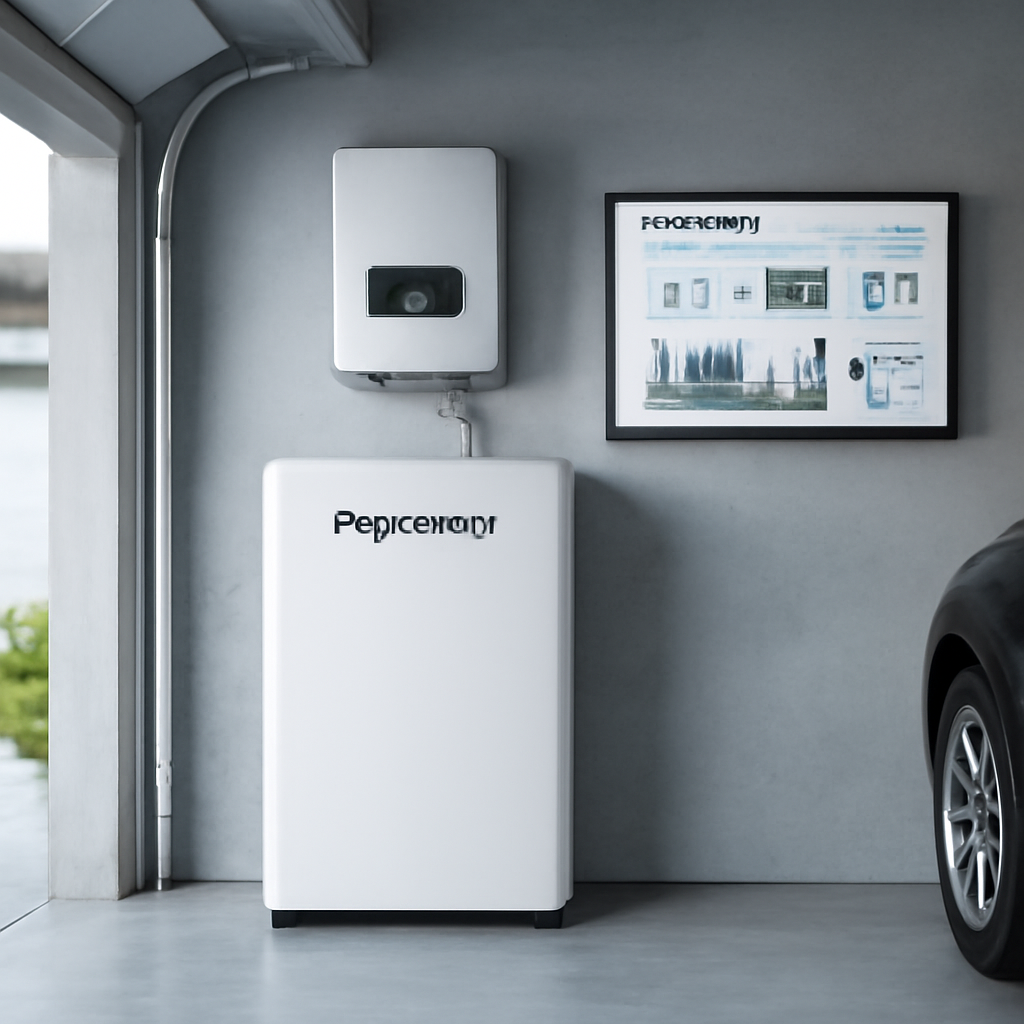
Tuning for Efficiency
Now that you have baseline numbers, you can start tweaking. If the discharge rate is higher than expected, consider upsizing the cable or adding a short section of thicker conductor to reduce I²R losses. A quick 10‑minute fan run after each cycle can shave a couple of degrees off the temperature, extending cycle life.
Another easy win is to adjust the inverter’s charge‑rate setting. Many hybrid inverters let you limit the maximum charge current to protect the battery on hot days. In our experience, setting the charge limit to 80 % of the pack’s spec during peak summer insolation prevents overheating without sacrificing usable energy.
When Things Look Off
If the BMS throws a “cell imbalance” warning, run the built‑in balancing routine if your inverter supports it, or manually trigger a low‑current charge cycle to let the BMS even out the cells. Persistent faults usually mean a bad cell or a connection that’s started to corrode—time to open the enclosure and give everything a visual once‑over.
Should the inverter report a “grid‑tie” error after the test, double‑check that the AC side breaker is fully seated and that the grounding strap hasn’t been disturbed during the wiring pass. A quick reset of the inverter often clears a false fault, but if it returns, call your installer before you risk damaging the battery.
Testing isn’t a one‑off chore; think of it as a habit you repeat after every major weather event or after you add another battery module. The more data you collect, the quicker you’ll spot a problem before it turns into a costly repair. With a solid test routine, you’ll enjoy the peace of mind that comes from knowing your solar‑plus‑storage system is truly ready to keep the lights on when the grid goes dark.
Conclusion
You’ve made it to the end of the guide, and that means you now have a clear picture of how to add battery to existing solar system.
In our experience, the biggest hurdle is simply taking that first step—pulling the inverter specs and sketching a quick wiring plan.
Once the numbers line up, the hardware falls into place: a compatible battery, a BMS that talks to the inverter, and a tidy, fused DC run.
Testing it the way we showed—charging to 80 % on a sunny day, then pulling a modest load—gives you confidence before the first night without grid power.
Remember to schedule a quick visual check after each season; a loose lug or a corroded terminal is easier to fix than a dead battery.
If you’re a residential homeowner, think about the peace of mind that comes from knowing your fridge stays cold during a summer storm.
Business owners can lean on that same reliability to keep lights on in the office and avoid costly downtime when the utility flips the switch.
And if financing is a concern, our team can walk you through solar lease options or battery financing that spreads the cost over time.
So, what’s the next move? Grab your inverter label, jot down the max battery capacity, and reach out for a quick quote—there’s no need to wait for the next outage.
When you finish, you’ll not only have stored sunshine, you’ll have added a layer of energy independence that pays off in comfort and savings for years to come.
FAQ
Can I add a battery to my solar system if my inverter is more than five years old?
Yes, you can, but you’ll need to verify whether the inverter supports a storage‑ready port or can be upgraded with a hybrid interface. Most modern inverters have a DC‑coupling option, while older models often require a separate battery‑inverter combo. Check the model’s spec sheet or give us a call; we can look up the compatibility matrix and suggest the simplest retrofit that avoids replacing the whole inverter.
How do I size a battery so it covers my evening load without overpaying?
Start by pulling your nightly consumption from your utility bill or monitoring app—usually the kilowatt‑hours used between 6 pm and midnight. Then aim for a battery that can deliver about 80 % of that number; the remaining 20 % can be sourced from the grid during peak pricing. For a typical four‑person home in Arizona, that often means a 10‑12 kWh pack, which balances cost and backup duration nicely.
Do I need a separate Battery Management System if I buy a pre‑wired lithium pack?
Most plug‑and‑play lithium packs come with an internal BMS that handles cell balancing, temperature monitoring, and over‑charge protection. You only need to make sure the BMS communication protocol (usually Modbus RTU or CAN) matches your inverter’s data port. If the pack’s BMS is sealed, you won’t have to wire additional modules; just connect the power leads, the communication cable, and you’re ready to test.
What safety devices should I install before connecting the battery to my inverter?
A properly sized DC fuse or circuit breaker on the positive lead is non‑negotiable—it protects the battery from a short circuit and limits fault current. Place a disconnect switch within arm’s reach of the battery enclosure so you can isolate the system for maintenance. Finally, ground all metal parts of the battery cabinet, BMS, and inverter to the same grounding bus; this keeps stray currents from causing nuisance trips.
How often should I perform a performance check on my new solar battery?
We recommend a quick visual inspection after each season—look for loose lugs, corrosion, or unusual heat. In addition, run a charge‑discharge test at least twice a year: let the sun fill the pack to about 80 % state‑of‑charge, then draw a known load for 30 minutes and compare the energy out to the inverter’s logs. This habit catches drift early and keeps your backup ready when the grid goes dark.
Will adding a battery affect my net‑metering credits?
In Arizona, stored energy that you later export still counts toward net‑metering, but the utility may apply a different rate for “dispatch” versus direct solar generation. Most installers configure the system to prioritize self‑consumption first, then feed any excess back to the grid. Check your utility’s tariff sheet or give us a call; we can walk you through the paperwork so you capture the maximum credit.
What financing options are available if I can’t pay for the battery upfront?
Many homeowners and businesses qualify for solar lease or battery‑as‑a‑service agreements that spread the cost over 5‑10 years with little or no down‑payment. These plans often bundle the battery with the existing solar contract, so you see a single monthly bill. If you prefer ownership, low‑interest loans from local credit unions are another route. We can run a quick quote to see which option fits your cash flow.